
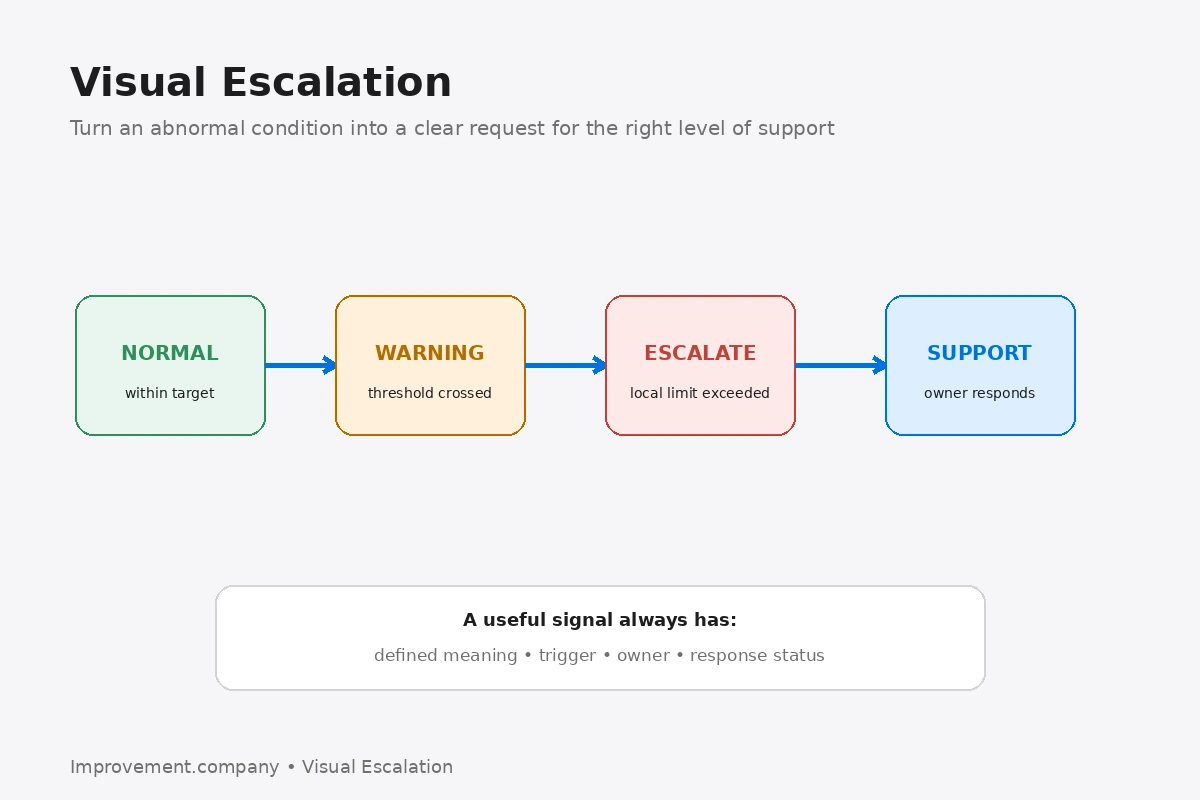
Visual Escalation is the use of visible signals to show when an abnormal condition requires attention beyond normal local response.
The objective is not to create more red indicators. The objective is to make three things immediately clear: what is abnormal, who owns the first response, and when additional support is required.
Start with a defined abnormal condition
A signal is useful only when the underlying condition is clear.
Abnormality Management helps define the difference between normal operation and a condition requiring response.
Examples include output more than one pitch behind, a quality hold, critical material unavailable, equipment stopped beyond a defined time, or safety risk requiring immediate support.
Avoid vague labels such as “needs attention.”
Use a simple visual state
A practical system may use normal, warning, and escalation states.
Visual Management helps make expected conditions and deviations understandable quickly.
The visual should support the decision, not decorate the board.
Connect the signal with a trigger
The team should know exactly what causes the visual state to change.
Daily Management Trigger Rules helps combine threshold, timing, owner, and reaction.
For example, if the line remains more than one pitch behind for two intervals, change the status to escalation and call the next support tier.
Make ownership visible
The signal should identify local owner, support owner, and escalation level.
Daily Management Escalation Ladder helps define which level should respond as the problem exceeds local authority or capability.
An escalation without ownership becomes a visible problem that still waits.
Show status changes
A useful visual should show whether the issue is new, being worked, awaiting support, contained, or closed.
This prevents repeated questions about whether anyone is responding.
Keep the signal close to the work
Useful locations include an hour-by-hour board, team board, Andon display, or digital operations board.
Hour-by-Hour Board is one example of a visual system where performance gaps and response can be connected directly.
Avoid alarm fatigue
If everything is red, nothing is prioritized.
Review whether signals are meaningful, current, and actionable. Remove stale indicators and tighten weak escalation rules.
Common mistakes
Using color without defined meaning, escalating every small variation, leaving old red status visible after closure, showing an abnormality without an owner, relying on visual signals instead of direct communication for urgent risk, and creating dashboards that are difficult to interpret are common mistakes.
Practical sequence
- define the abnormal condition.
- define the visual states.
- define the trigger threshold.
- assign local ownership.
- define escalation ownership.
- make the signal visible at the point of management.
- update status as response progresses.
- close the signal when evidence supports closure.
- review repeated escalations.
- simplify the visual system when signals become noisy.
The practical lesson
Visual Escalation turns abnormality into an unmistakable request for action.
The signal is successful when the right person understands the condition and responds without delay.